
Artificial intelligence is changing how design teams build digital products. Rather than only supporting content creation, UX AI Agent can automate many tasks, such as conducting user research, building wireframes, creating prototypes, and testing interfaces. With the ability to plan and complete multiple tasks in sequence, this technology helps shorten design time, improve productivity, and optimize the user experience. In this article, join Ohtez in exploring what UX AI Agent is, how it works, its benefits, and the leading tools currently being used in UX/UI design.
What is a UX AI Agent?
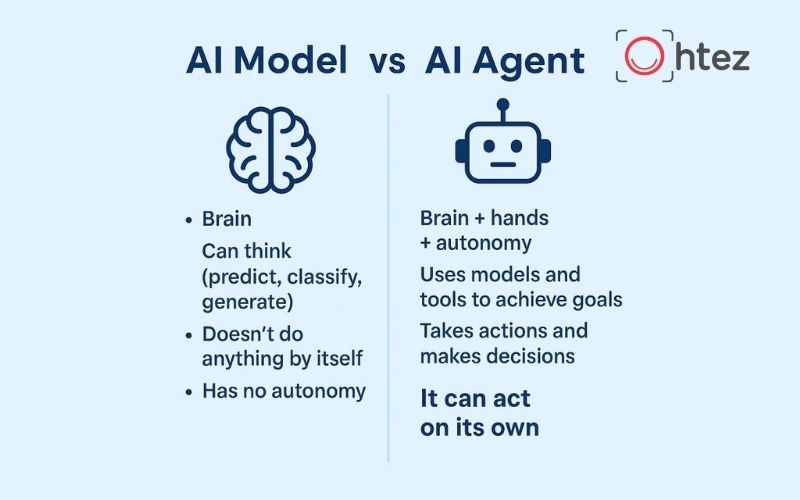
UX AI Agent is an AI system capable of supporting or automatically performing multiple tasks within the user experience design process. Instead of only generating content in response to individual prompts, UX AI Agent can analyze requirements, break work into smaller tasks, select suitable methods, and complete an objective step by step. This is a major difference between AI Agents and conventional generative AI tools.
In the field of AI Agents for UX/UI, an Agent can handle various tasks, including:
- Collecting user research data.
- Analyzing behaviors and pain points.
- Recommending suitable user flows.
- Creating initial wireframes or prototypes.
- Testing interfaces and identifying usability issues.
For example, when a product team wants to improve the account registration process, UX AI Agent can analyze user data, identify the stage with the highest drop-off rate, suggest a new interface, and simulate the behavior of different user groups to evaluate its effectiveness. However, AI Agents do not replace UX designers. Instead, the technology acts as an intelligent assistant that helps design teams make faster, data-driven decisions rather than relying on intuition.
How UX AI Agent is changing the UX design process with AI
UX AI Agent is changing how teams approach product design by making the process faster, more flexible, and easier to repeat. When combined with AI-powered UX design, businesses can shorten processing time, improve collaboration, and make data-driven decisions while still maintaining professional human oversight.
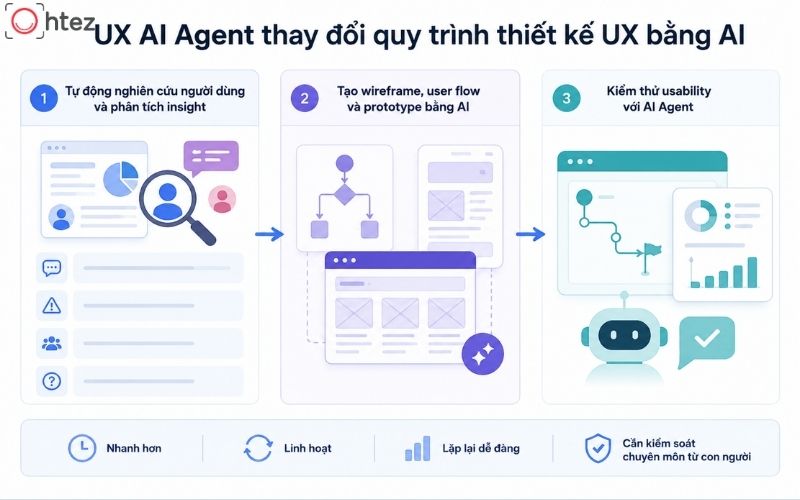
How UX AI Agent is changing the UX design process with AI
1. Automating user research and insight analysis
UX AI Agent can help consolidate data from surveys, interview transcripts, support tickets, and customer feedback. The system categorizes information by topic, identifies frequently occurring issues, and suggests needs that require further research. When using AI Agents for UX/UI, designers can reduce the time spent manually reading and organizing hundreds of responses. Suitable tasks include:
- Grouping feedback by topic.
- Identifying common pain points.
- Summarizing the behavior of different user groups.
- Suggesting follow-up research questions.
However, results generated by UX AI Agent still need to be verified by UX researchers against the original data and real-world context. AI shortens the initial analysis process, but evaluating insights and making final decisions still depend on the experience of the design team.
2. Creating wireframes, user flows, and prototypes with AI
Based on requirements related to the target audience, objectives, and product features, UX AI Agent can suggest initial wireframes, user flows, or prototypes. This allows UX designers to visualize the interface structure quickly without starting from a blank page. In AI-powered UX design, an Agent can also create multiple options for the same interaction flow, making it easier for product teams to compare and select a suitable solution before moving into detailed design.
For example, with a medical appointment booking or account registration process, UX AI Agent can build the complete flow, from entering information and confirming details to completing the transaction. However, AI-generated results are only initial drafts. Designers still need to review their consistency with the design system, accessibility, error states, and brand identity before moving them into development.
3. Usability testing with AI Agent
UX AI Agent can simulate how users complete tasks such as registering an account, searching for products, or submitting a form to identify user experience issues at an early stage. The system records the number of steps required, task completion rates, stages where users are likely to leave the process, and possible causes of friction. This is a significant advantage of AI Agents for UX/UI during the early testing stage.
However, AI Agents cannot fully replace testing with real users because they cannot completely reflect human emotions, motivations, and real-world usage contexts. Businesses should therefore use UX AI Agent to screen and optimize interfaces first, then combine it with traditional usability testing to validate effectiveness and improve the quality of the user experience.
The benefits of UX AI Agents for UX Designers
When implemented correctly, UX AI Agent not only accelerates the design process but also supports UX designers across multiple stages, from research and interface development to product testing. Its most notable benefits include shortening design time, reducing repetitive work, and improving the quality of the user experience. This is also why an increasing number of businesses are incorporating AI tools for UI/UX design into their product development processes.
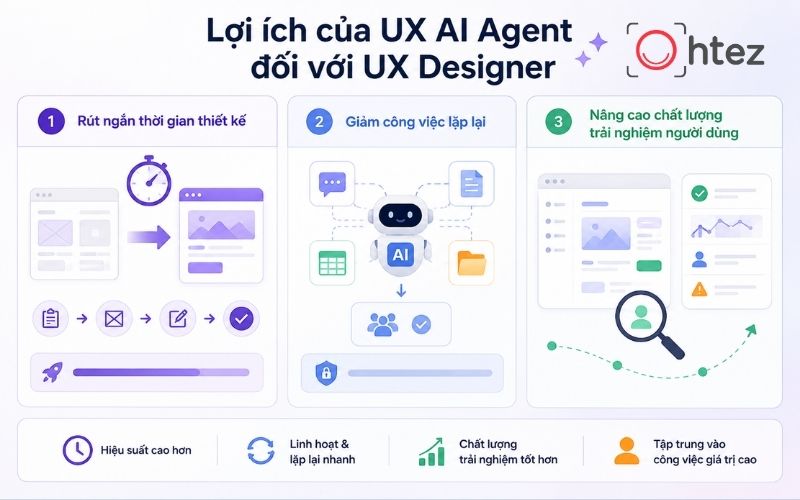
The benefits of UX AI Agents for UX Designers
1. Shortening design time
UX AI Agent can shorten the time between receiving a requirement and completing the first wireframe or prototype. Instead of starting from a blank page, UX designers can use AI-generated suggestions as a foundation and refine them according to the project’s objectives. In AI-powered UX design, repeating, evaluating, and optimizing different options also becomes faster, allowing product teams to test more ideas within a shorter period.
For example, a team can create multiple versions of a landing page or registration flow for comparison before selecting the option that best matches user behavior. Although UX AI Agent helps accelerate the process, it still serves a supporting role. Designers need to review the business logic, technical feasibility, and consistency with the design system before moving to development. This ensures that the product maintains both deployment speed and user experience quality.
2. Reducing repetitive tasks
Many tasks, such as categorizing feedback, writing screen descriptions, standardizing documentation, or consolidating research data, often take up a significant amount of a UX designer’s time. UX AI Agent can automate these tasks according to predefined workflows and criteria, helping teams reduce their manual workload. When combined with AI tools for UI/UX design, AI can also convert research data into insight tables, issue lists, or initial handover documents that the team can continue working on.
In addition to productivity benefits, businesses need to establish data permission and approval mechanisms when implementing UX AI Agent. Information related to customers, products, or internal documents should be reviewed before being processed by AI to ensure security and accuracy.
3. Improving user experience quality
In addition to accelerating the process, UX AI Agent helps UX designers improve the quality of the user experience by identifying interface issues early. AI can simulate multiple usage scenarios, including new users, error cases, and uncommon situations, to identify areas that have not been optimized. In AI-powered UX design, the system can also suggest improvements to button placement, interaction flows, or error messages based on data and common UX principles.
However, suggestions from UX AI Agent should not be applied mechanically. UX designers still need to compare them against business objectives, accessibility standards, and feedback from real users before selecting the right solution. Combining human experience with AI’s analytical capabilities can create a more comprehensive and effective user experience.
Top AI tools for UI/UX design.
Each UX AI Agent is developed to support different needs within the product design process. From research and interface development to prototype creation, many AI tools for UI/UX design are now available, each with its own strengths. Below are several notable platforms widely used by designers and businesses.
1. UX Pilot
UX Pilot is a platform that supports the creation of wireframes and interfaces from natural-language descriptions. Users can enter requirements or upload images, documents, and links to generate a draft, then continue editing and export it to a suitable design environment. With UX AI Agent, designers can explore various layout ideas, build flows, and prepare prototypes within a short period. This AI tool for UI/UX design is suitable for the ideation stage.
However, results from UX AI Agent still need to be reviewed for consistency with the design system, brand content, accessibility, and suitability for user needs.

UX Pilot
2. Miro AI
Miro AI supports the creation of flowcharts and system diagrams while organizing research data in a collaborative workspace. The platform can also group qualitative data, support affinity mapping, and analyze themes from content on a board. When using UX AI Agent, Product, Design, and Development teams can work together to build user journeys, analyze insights, and adjust processes within the same workspace.
Miro AI is suitable for AI-powered UX design during the research and planning stages. However, UX AI Agent cannot independently verify the accuracy of an insight. Teams still need to review the data sources and the representativeness of each user group.
Miro AI
3. Replit
Replit Agent allows users to describe an application or website idea through a prompt, then helps build a functional product that can be further edited within the development environment. With UX AI Agent, designers or Product Managers can turn a static prototype into an MVP to test interaction flows under conditions similar to a real product. This is a suitable application of AI Agents for UX/UI when ideas need to be tested quickly.
However, Replit is primarily focused on software development. Therefore, this UX AI Agent still needs to be combined with user research, usability testing, accessibility reviews, and technical evaluation.
Replit
4. Webflow AI
Webflow AI supports the creation of responsive websites from initial requirements, helping users quickly build landing pages or test websites without writing extensive code. After the draft is completed, designers can still edit sections, content, and interface components directly on the platform. When combined with UX AI Agent, this tool shortens the time required to turn an idea into a functional product for testing structure, navigation flows, and user experience.
However, AI only supports the initial design and development stages. Teams still need to optimize page loading speed, accessibility, brand content, and conversion performance before launching the website.
Webflow AI
5. Vortex IQ
Vortex IQ is a platform focused on data analysis and experience optimization in e-commerce. The tool can connect data from multiple systems to identify bottlenecks, analyze their causes, and recommend suitable actions. Within the UX AI Agent ecosystem, Vortex IQ is suitable for businesses that want to use data to improve the customer journey rather than only support interface design. However, it is not a specialized UI/UX design tool. Its primary value lies in data analysis, performance monitoring, and supporting product optimization decisions.

Vortex IQ – UX AI Agent focused on data analysis and experience optimization
UX AI Agent does not replace UX designers but acts as an assistant that helps optimize workflows and improve design efficiency. Choosing the right tool depends on the objectives, project scale, and how a business applies AI in practice. To learn more about AI Agents and business automation solutions, follow Ohtez for the latest knowledge and trends.
Frequently Asked Questions about UX AI Agent
1. Who is a UX AI Agent suitable for?
UX AI Agent is suitable for UX/UI designers, UX researchers, Product Managers, Founders, and businesses looking to optimize their design processes. The tool is particularly useful for research, prototype creation, and rapid testing to improve productivity.
2. How does UX AI Agent differ from AI chatbot?
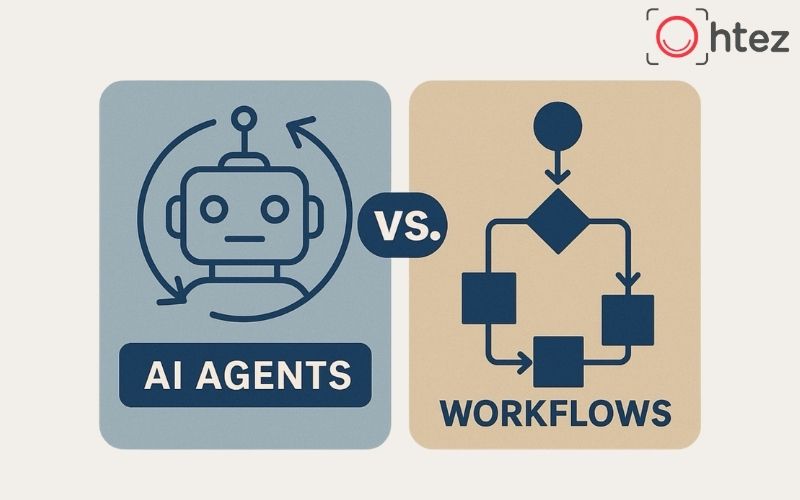
An AI chatbot primarily answers individual questions, while UX AI Agent can create plans and automatically complete multiple consecutive tasks to achieve an objective. As a result, AI Agents are better suited to more complex product design and development processes.
3. Should businesses invest in AI agents for UX/UI?
Businesses should implement UX AI Agent when they want to automate repetitive tasks and improve the efficiency of UX/UI design. For the best results, they should begin with a specific use case before expanding the technology across the entire process.